Position Sizing
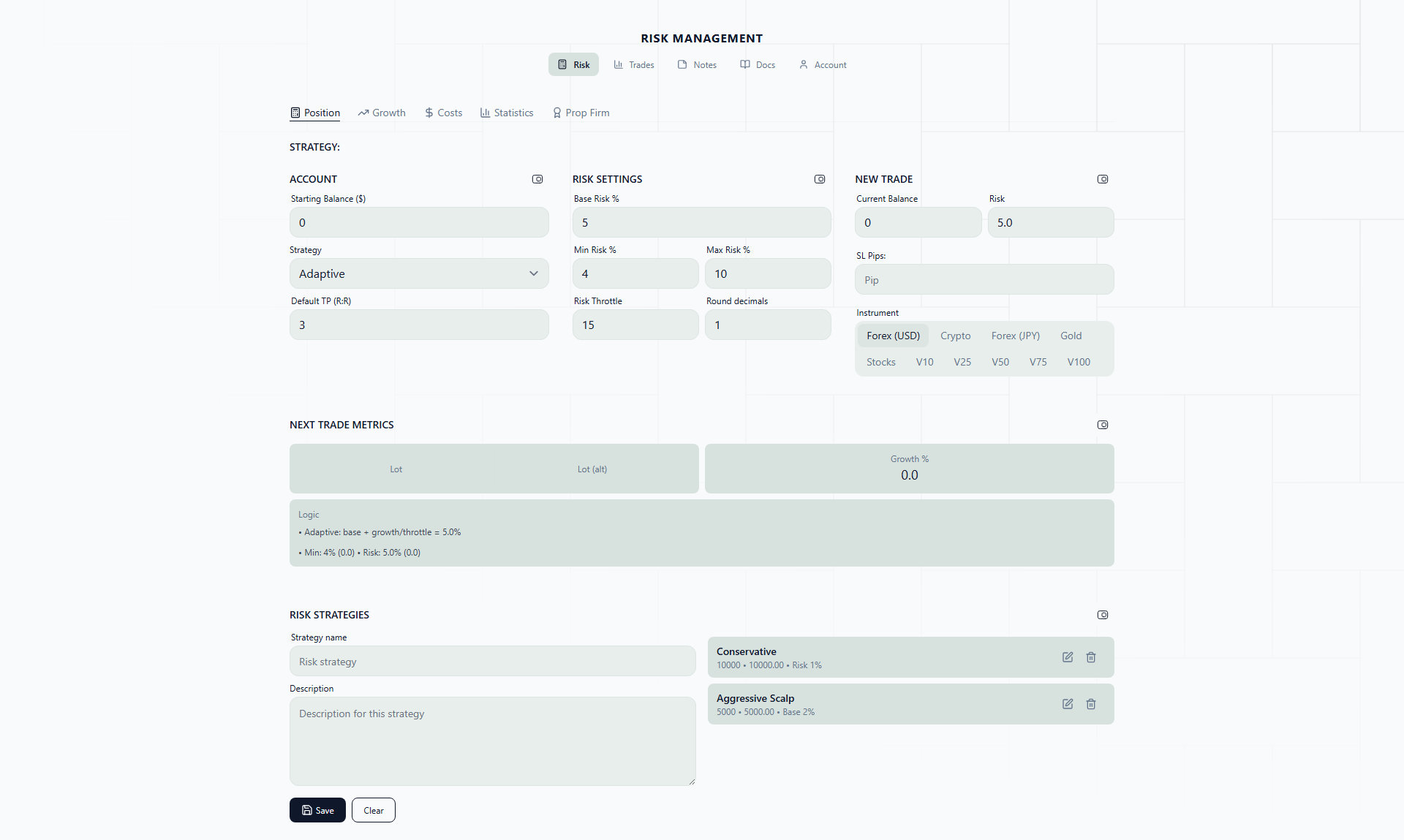
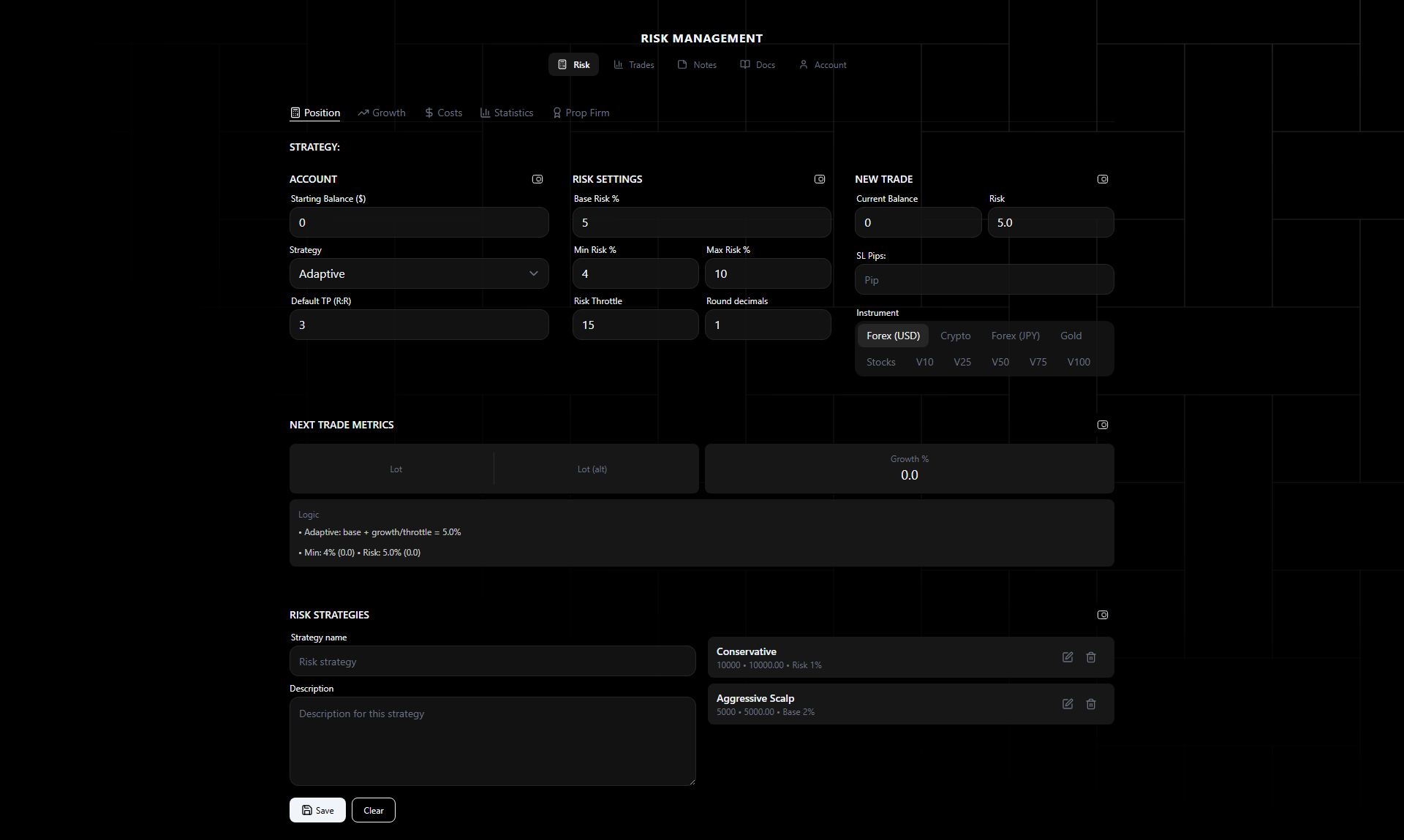
The Position Sizing tab is the core calculator. Enter your account parameters and trade details to get an exact lot size.
Why This Exists
Lot size is the most consequential number in any trade. Two traders can take the exact same entry on GBPUSD with the same stop loss and take profit — one risks 1% of their account, the other risks 6%, simply because of the lot size they typed in. The first trader survives a losing streak. The second one might not.
The problem is that lot size calculation is not intuitive. The pip value of EURUSD is different from GBPJPY, which is different from XAUUSD, which is different from NAS100. A 30-pip stop on EURUSD means something completely different in dollar terms than a 30-pip stop on GBPJPY. And when you are staring at a chart with a trade setup forming in real time, the last thing you want is to pull out a calculator and start doing pip value math.
This tab removes that friction. Enter the prices, and the calculator tells you the lot size. Every time, for every instrument, with the right pip value conversion built in.
Account Inputs
- Account Balance — Current account balance in your base currency
- Start Balance — Starting balance (used for growth calculations in adaptive strategies)
- Base Risk % — Default risk percentage per trade
- Min Floor % — Minimum risk percentage (prevents risk from dropping too low)
- Max Risk % — Maximum risk cap (prevents over-exposure)
Trade Inputs
- Entry Price — Your planned entry price
- Stop Loss — Stop loss price level
- Take Profit — Take profit price level
The calculator derives pip distance from the price difference.
Strategy Selector
Choose from five options:
- Manual — Enter risk % directly
- Fixed — Same risk on every trade
- Adaptive Growth — Scale risk with account growth
- Double-Pulse — Double on wins, reset on losses
- Reset-on-Loss — Adaptive with loss protection
Each strategy requires the previous trade’s result and risk % to calculate the next risk level. See Risk Strategies for formulas.
Output
- Lot Size — Calculated position size
- Risk $ — Dollar amount at risk
- Growth % — Account growth from start balance
- Logic Notes — Step-by-step calculation breakdown
Worked Example: GBPUSD Trade
Here is a complete walkthrough of the calculator in action.
Setup:
- Account balance: $10,000
- Strategy: Fixed at 2%
- Instrument: GBPUSD
- Entry: 1.2650 (long)
- Stop loss: 1.2620 (30 pips below entry)
- Take profit: 1.2710 (60 pips above entry, giving a 1:2 risk-reward)
Step 1: Calculate Risk Amount
2% of $10,000 = $200. This is the maximum you are willing to lose if the stop loss is hit.
Step 2: Calculate Pip Distance
Entry (1.2650) minus stop loss (1.2620) = 0.0030 = 30 pips.
Step 3: Determine Pip Value
For GBPUSD, 1 standard lot (100,000 units) has a pip value of approximately $10. So for any lot size, the pip value is lot size x $10.
Step 4: Calculate Lot Size
You need the lot size where 30 pips of movement equals $200:
Lot size = Risk Amount / (Pip Distance x Pip Value per Lot)
Lot size = $200 / (30 x $10) = $200 / $300 = 0.67 lots
The calculator outputs 0.67 lots, with $200 at risk and a 1:2 RR giving a potential $400 profit.
What happens if you widen the stop?
Same trade, but now your stop loss is at 1.2600 (50 pips):
Lot size = $200 / (50 x $10) = $200 / $500 = 0.40 lots
The risk amount stays the same ($200), but the lot size drops from 0.67 to 0.40. This is the core principle: wider stop = smaller position, tighter stop = larger position. The dollar risk stays constant.
The Logic Notes section shows each of these steps in the calculator output, so you can verify the math and understand how changes to any input affect the result.
Real-Life Scenario: Two Accounts, Two Presets
A trader runs two accounts simultaneously:
Account 1: FTMO $100K Challenge (Phase 1)
- Goal: Hit 8% profit target without breaching 5% daily or 10% total drawdown
- Strategy: Fixed at 1%
- Preset name: “FTMO Phase 1”
- Every trade risks exactly $1,000. Predictable, conservative, focused on consistency.
Account 2: Personal $15K Account
- Goal: Grow the account over time, compounding gains
- Strategy: Adaptive Growth, 2% base, throttle 10
- Preset name: “Personal Growth”
- Risk scales with account growth. Currently at $17,200 (14.7% growth), risk is
2% + (14.7%/10)= 3.47%, so each trade risks about $597.
Before each trading session, the trader loads the appropriate preset with one click. No re-entering numbers. No accidentally using prop firm settings on the personal account (or worse, personal account aggression on the prop firm challenge).
This is the real value of presets — not just convenience, but protection against configuration mistakes.
Presets
Save your current configuration as a preset:
- Save — Stores all inputs and strategy settings
- Load — Instantly apply a saved preset
- Delete — Remove unwanted presets
Presets are useful for switching between accounts or strategies quickly.
Preset Management Workflow
Here is a practical approach to organizing your presets:
Create presets by account and risk profile, not by instrument. A preset called “Forex Conservative” is more useful than one called “EURUSD” because the same risk profile usually applies across multiple forex pairs.
Recommended starter presets:
- “[Account Name] - Conservative” — Fixed strategy at 1%, for cautious periods or new strategies being tested
- “[Account Name] - Standard” — Your default strategy and risk level for normal trading conditions
- “[Account Name] - Aggressive” — Higher risk for high-conviction setups, with a clear max cap
For prop firm accounts, create phase-specific presets:
- “FTMO 100K - Phase 1” — 1% fixed, conservative, focused on hitting 8% without breaching limits
- “FTMO 100K - Phase 2” — Same or slightly lower risk (0.75%), since Phase 2 usually has a lower profit target and you are protecting the progress from Phase 1
- “FTMO 100K - Funded” — Can move to Adaptive Growth or Reset-on-Loss now that you have passed both phases and have a proven track record
Update preset balances periodically. If your account has grown from $10,000 to $12,500, update the start balance and account balance in the preset. For adaptive strategies, the start balance determines the growth calculation, so an outdated start balance skews your risk levels.
Manual Override
Toggle the override switch to bypass min-floor and max-cap constraints. Useful when you want to deviate from your rules for a specific trade.
A word on when to use this: manual override exists for edge cases, not regular trading. If you find yourself overriding the constraints frequently, it usually means your constraints are set incorrectly rather than that your individual trades are special. Adjust the base parameters instead.
The most legitimate use case for override is when you have a high-conviction trade with a very tight stop loss that your min floor is pushing too large, or a trade where the calculated lot size is fractionally above your max cap and you want to take it at the slightly higher size. Use it deliberately, not habitually.